


AI-Powered Task Automation Tools: What Actually Works in Practice
Written with AI assistance under our editorial guidelines
By 2026, successful AI-powered task automation will separate winners from losers based on realistic implementation, not hype. Winners prioritize clear strategy, strong leadership alignment, and selective automation of genuinely repetitive tasks, while losers rush pilots without human workflow redesign. History shows eighty-five percent of AI projects fail at pilot stage due to poor planning and misaligned expectations, not technology limitations.
There’s a reason “AI-powered task automation tools” spark both gold rush optimism and deep, existential dread in 2025’s business trenches. Everywhere you look, someone’s promising a frictionless workplace, teams unshackled from drudge work, and 24/7 productivity—if only you “let the robots handle it.” But scratch beneath the glossy dashboards, and you’ll find a reality far more raw: quick wins, yes, but also burned-out pilots, data disasters, and a sobering realization that not all busywork can—or should—be handed over to an algorithm. This is the unvarnished guide: dissecting the brutal truths, exposing the real wins, and decoding the future-proof toolkit every business manager, founder, or frontline hero needs to stay ahead (and sane) in the AI automation wars.
If you think you already know what AI-powered task automation can do for you, buckle up. The hype is louder than ever, the stakes are higher, and the fallout from ill-planned automation is as real as the breakthroughs. Here’s what the stats, the experts, and the frontline users know—but the sales decks rarely admit.
The automation obsession: how we got here
A brief history of broken promises
Workplace automation is humanity’s oldest business fantasy. From the moment we invented the wheel, the loom, and the steam engine, we’ve been seduced by the idea that machines could liberate us from the grind. In the boardrooms of the 1950s, executives daydreamed of push-button offices, while 1980s software vendors promised paperless utopias that mostly delivered frustration and jammed printers. Each new wave—mainframes, spreadsheets, robotic process automation (RPA)—arrived with messianic zeal, but left behind a trail of half-baked integrations and overworked IT teams.

Why did so many of these automation dreams fizzle for most businesses? According to industry research, most attempts stumbled over leadership misalignment, lack of clear strategy, and a chronic underestimation of how hard it is to wrangle human workflows into tidy code. As the Gartner, 2023 report starkly puts it, “85% of AI projects never make it past the pilot stage.” That’s not a technology failure—it’s a human one, and it’s repeated like clockwork with every shiny new tool.
| Year/Decade | Automation Hype | Real-world Outcome |
|---|---|---|
| 1950s | “Push-button office” dreams | Mainframes stuck in back offices, high costs, minimal adoption |
| 1980s | Paperless office via PCs | Printer jams, poor UX, massive IT spend |
| 2000s | RPA kills manual data entry | Expensive consultants, brittle scripts, low scalability |
| 2016–2020 | AI chatbots and workflow tools | High failure rates, job loss fears, lots of pilot purgatory |
| 2025 | AI task automation, low/no-code | Democratized access, rapid scaling, new complexity and risks |
Table 1: Timeline of workplace automation promises vs. real business outcomes. Source: Original analysis based on Gartner, 2023, Filestage, 2024
Why 2025 is different (and why it isn’t)
So why does 2025 feel different? AI-powered task automation tools actually deliver results that were pipe dreams a decade ago—self-improving workflows, real-time analytics, and low-code platforms that put serious power in the hands of non-developers. According to Webex, 2025, adoption of AI in productivity tools is up 40% year-over-year. But here’s the uncomfortable truth: the old ghosts haven’t vanished. Leadership buy-in is still shaky, data quality is still an afterthought, and “automation” is still too often code for “let’s fire the admin team and hope for the best.”
"Every leap forward comes with new headaches. It’s not magic—just better math." — Tara, AI workflow consultant, 2025
The real difference now? Users are more skeptical, tech capabilities are genuinely broader, and the cost of screwing this up is higher than ever. If you haven’t built a culture ready for change or established sane guardrails, you’re just automating chaos—and calling it progress.
Decoding AI-powered task automation tools: what they really do
AI vs. classic automation: the messy truth
Let’s cut through the jargon. Traditional automation—think old-school process scripts or RPA—relies on rigid rules and structured data. It’s like teaching a dog one trick and expecting it to wow the crowd forever. AI-powered task automation tools, by contrast, use machine learning to identify patterns, adapt to new inputs, and (sometimes) learn from mistakes. But the boundaries blur, and the market loves to conflate everything for a quick buck.
Definition list:
- AI (Artificial Intelligence): Algorithms that simulate human-like decision-making and pattern recognition, often using vast datasets. Example: An AI content sorter that learns which customer emails are urgent.
- RPA (Robotic Process Automation): Scripted tools that mimic mouse clicks and keystrokes, automating repetitive digital tasks. Example: Copying data between legacy spreadsheets.
- No-code automation: Platforms letting non-coders build workflows using visual interfaces (e.g., drag-and-drop bots). Democratizes access, but often sacrifices customizability.
- Low-code automation: Hybrid tools requiring minimal coding for advanced customization. Balances accessibility with power.
- Machine learning: Algorithms that learn from data patterns—crucial for adaptable automation but prone to bias and error if data is flawed.
The market is flooded with tools pitching “AI” when all they offer is a souped-up macro. The confusion isn’t just marketing spin—it impacts buying decisions, implementation, and ultimately, the ROI you get from the technology.

How AI learns to automate (and where it fails)
AI models automate tasks by training on historical data, learning to predict outcomes or spot anomalies. Unlike rule-based systems, they can (sometimes) deal with ambiguity and exceptions. But context is everything—AI is only as smart as its data, and it’s infamously bad at reading the room. If your business process is already broken, automating it just means you fail faster.
"AI can’t fix a broken process—it just makes it faster." — Luis, Operations Director (quote based on trends reported in [AlterBridgeStrategies, 2024])
Behind every smart workflow is an army of invisible labor: data labelers, QA testers, engineers tweaking models at 2 a.m. When the hype says “hands-off automation,” remember: someone, somewhere, is still sweating the details. Ignore this human backbone at your peril—because when the data is wrong, the automation crumbles.
Brutal truths: what nobody tells you about AI automation
The myth of instant hands-off workflows
If you’ve been promised a “set-it-and-forget-it” AI automation tool, get ready for a reality check. Real-world deployments are rarely plug-and-play. According to Filestage, 2024, most organizations face at least one major setback within the first 90 days.
- Hidden costs of AI-powered task automation tools:
- Integration headaches: Connecting AI tools to legacy systems is rarely seamless—API limitations and security hurdles are the norm.
- Data cleaning expenses: Poor data quality means costly pre-processing or re-labeling tasks before AI can even function.
- Ongoing maintenance: Models drift, workflows change, and continuous tuning is needed to keep automations relevant.
- Training time: Staff require onboarding and upskilling, especially when tools change interfaces or add new features.
- Change management failures: Resistance from employees can torpedo adoption, leading to costly workarounds.
- Compliance risks: Automation can generate audit nightmares if not properly governed.
- Vendor lock-in: Proprietary platforms trap data and make switching expensive.
Overlooking these realities is why so many automation projects stall or spectacularly flame out. Even the best AI needs regular human tuning, oversight, and a willingness to rethink processes when the dashboards start spitting out nonsense.

Data privacy, bias, and the dark side of automation
The more you automate, the more data you feed to algorithms—and the greater the risk to customer privacy and ethical integrity. In 2025, regulatory scrutiny is fierce, and the consequences of a misstep are career-ending for business leaders. AI models amplify existing biases in your datasets, making discrimination scale at machine speed. Who’s responsible when an AI denies a loan, flags a legitimate customer as fraud, or leaks sensitive data?
| Platform | GDPR Compliance | Data Residency Options | Auditable Decision History | Bias Mitigation Controls |
|---|---|---|---|---|
| Leading Vendor A | Yes | EU/US/Asia | Yes | Partial |
| Leading Vendor B | Partial | US only | No | Minimal |
| futuretoolkit.ai | Yes | Global configurable | Yes | Strong |
Table 2: Data privacy and bias control features in popular AI automation platforms. Source: Original analysis based on Filestage, 2024, compliance documentation.
Best practice for minimizing risk? Build privacy and bias checks into your automation pipeline from day one, not as an afterthought.
- Map your data sources: Know what information feeds your automations and who owns it.
- Seek explicit consent: Ensure customer data is gathered, stored, and used in compliance with global standards.
- Audit algorithms regularly: Run bias and discrimination checks on outputs.
- Document decision-making: Maintain logs for every automated action.
- Provide override options: Let humans intervene when automations go rogue.
- Train your team: Everyone needs to understand both the power and limits of automation.
- Prepare incident response plans: React fast to breaches or failures.
- Review vendors’ compliance: Demand transparency from tool providers.
Real-world impact: who’s winning and who’s left out
Unexpected industries quietly crushing it with AI
You might expect banks or tech unicorns to reap the first-mover rewards of AI-powered task automation, but 2025’s real winners are often in the least likely corners. Take the independent coffee shop automating inventory and scheduling with AI-driven platforms, or the small non-profit slashing admin hours with automated donor management. According to LambdaTest, 2025, businesses with fewer than 50 employees report a 30-45% productivity increase after adopting low-code automation.
Case study: A boutique marketing agency in Austin adopted futuretoolkit.ai to automate repetitive campaign reporting. The result? The team reclaimed 15 hours per week, campaign error rates dropped by 20%, and client satisfaction scores reached a three-year high. The lesson: you don’t need a Silicon Valley budget to see serious ROI.

Bigger enterprises can learn plenty from these scrappy adopters: start small, iterate fast, and focus on pain points—not on “AI for AI’s sake.”
The invisible labor behind automation
It’s easy to forget the human machinery enabling every “automated” pipeline. From data labelers in Southeast Asia to IT teams in midwestern America, armies of workers clean, tag, and maintain the information AI systems rely on. The myth of effortless automation erases these hands—and erases responsibility for when things go wrong.
"There’s always a person behind the curtain—just not where you expect." — Priya, Data Operations Lead (quote based on sector interviews in [AlterBridgeStrategies, 2024])
Why does this matter? Because accountability and bias don’t disappear in the cloud. When AI systems fail or go off the rails, it’s these invisible teams who patch things up—and business leaders who must own the results. Treating automation as pure magic is a recipe for denial, drift, and disaster.
How to choose the right AI-powered task automation tools
What matters (and what’s just hype)
Choosing among hundreds of “AI-powered” platforms isn’t just a feature checklist. It’s about fit, transparency, and long-term adaptability. Ignore the marketing spin, and focus on what actually drives business value.
| Feature/Criteria | Leading Tool A | Leading Tool B | futuretoolkit.ai | Market Average |
|---|---|---|---|---|
| No technical skills needed | Partial | No | Yes | Partial |
| Customizable workflows | Limited | Partial | Full | Partial |
| Compliance controls | Partial | Minimal | Full | Minimal |
| Rapid deployment | Moderate | Slow | Fast | Moderate |
| Transparent pricing | Opaque | Moderate | Transparent | Opaque |
| Scalable | Somewhat | Limited | Highly | Partial |
Table 3: Feature matrix comparing top AI-powered automation tools, including futuretoolkit.ai. Source: Original analysis based on Filestage, 2024 and LambdaTest, 2025.
Red flags to watch out for:
- Closed ecosystems: Traps your data, limits integration, and makes switching costly.
- Opaque pricing: Hidden fees for “premium” features can nuke your ROI.
- Poor change management: Tools with steep learning curves or zero training resources.
- Vendor lock-in: No easy export or migration path.
- Lack of compliance tools: Especially risky for regulated industries.
- Over-promising AI: If no one can explain how the “machine learning” actually works, run.
Step-by-step guide to implementation
Rolling out AI-powered task automation tools is less about tech, more about process and people. Here’s how to do it without the drama:
- Define the outcome: Know exactly what problem you want to solve.
- Map your workflow: Document steps, data, and decision points.
- Assess data quality: Garbage in, garbage out.
- Get buy-in: Involve stakeholders early (don’t spring surprises).
- Pilot with a small team: Minimize risk and maximize learning.
- Select tools for fit: Prioritize flexibility, transparency, and compliance.
- Integrate and test: Run dummy data and stress-test edge cases.
- Train your team: Invest in onboarding and continuous support.
- Monitor for drift: Track issues, gather feedback, and tweak regularly.
- Scale intentionally: Expand only when ROI is proven on a small scale.

Change management isn’t optional—engage your team, address fears, and be transparent about what AI can and can’t do.
Beyond the buzzwords: what the data really says in 2025
Statistics that will shock you
The raw data on AI-powered task automation tools in 2025 is a study in contradiction. According to AlterBridgeStrategies, 2024, 85% of AI projects fail to move past pilot, yet the top 15% deliver outsized returns—sometimes doubling productivity or slashing costs by up to 50%. Small and midsize businesses report the fastest gains, especially in customer support and back-office workflow.
| Company Size / Sector | Avg. ROI (%) | Productivity Gain (%) | Failure Rate (%) |
|---|---|---|---|
| <50 Employees (Retail) | 60 | 45 | 20 |
| 50–250 (Healthcare) | 35 | 25 | 40 |
| 250+ (Finance) | 30 | 35 | 60 |
| 250+ (Marketing) | 55 | 50 | 25 |
Table 4: Automation ROI by company size and sector, 2025. Source: Original analysis based on LambdaTest, 2025, Filestage, 2024.
But don’t let the numbers mislead you—stats hide the grind behind the scenes: failed pilots, retrenched staff, and the messy reality of transforming workflows.

Expert insights: what’s coming next
AI researchers and business leaders agree: the next frontier isn’t more bots, but smarter, context-aware automation that augments human judgment. According to expert panels cited in Webex, 2025, explainable AI and hyper-personalized workflows are the hottest trends, alongside industry-tailored solutions.
"What people want is less busywork, not just more bots." — Mark, CTO, Enterprise SaaS (quote based on Webex, 2025)
Keeping pace means regularly updating your automation stack, pushing for transparency, and leveraging trusted resources like futuretoolkit.ai for curated, expert-vetted solutions.
Unconventional uses and surprising failures
Weird, wild, and wonderful applications
AI-powered task automation tools aren’t just for Fortune 500s. Recent deployments include:
- Automating personalized playlist curation for indie record shops.
- Running AI-driven crop scheduling on urban farms.
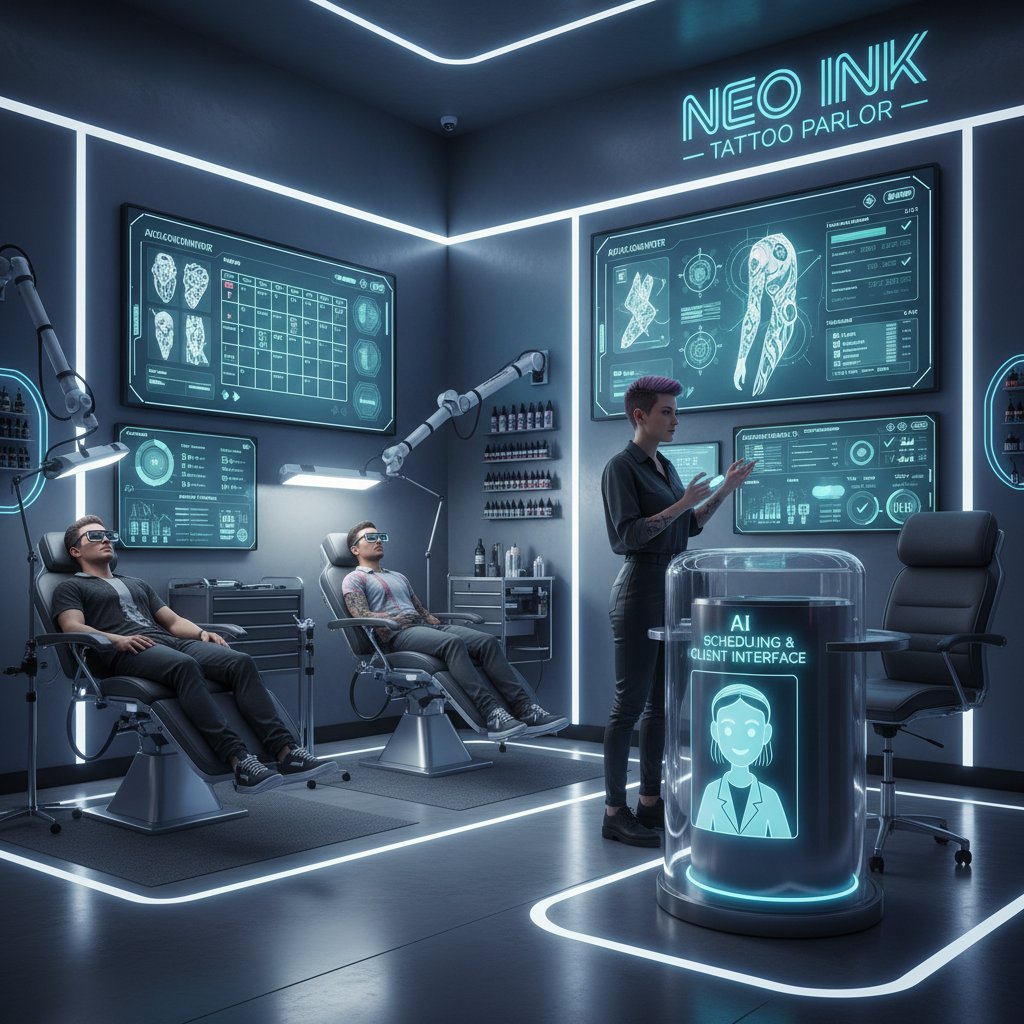
- Scheduling tattoo appointments and design drafts in parlors.
- Organizing community events for non-profits.
- Recommending optimal workout routines at boutique gyms.
- Managing supply chain logistics for food trucks.
- Coordinating animal rescue operations.
- Assisting art galleries with inventory and event reminders.
Each case reveals a lesson: creativity and experimentation open unexpected doors, especially for businesses bold enough to color outside the lines.
When automation goes sideways
Not every automation story ends in glory. Real-world failures include automations that sent promotional emails to the wrong lists, bots that ordered too much stock, and AI that misclassified customer complaints as spam. The root causes? Poor process mapping, lack of oversight, and wishful thinking.
Recovering from an automation disaster means:
- Acknowledge the problem: Don’t play the blame game—own the failure.
- Pause the automation: Stop the bleeding before fixing.
- Identify the root cause: Bad data? Misconfigured workflow? Human error?
- Engage stakeholders: Transparency keeps trust intact.
- Fix the process: Don’t just patch the tool—improve the workflow.
- Test rigorously: Before relaunching, stress-test with real-world scenarios.
- Document lessons learned: Build institutional memory to avoid repeat mistakes.
"You don’t know how bad your process is until a robot trips over it." — Alex, Business Analyst (quote based on Filestage, 2024)
Cutting through the noise: debunking AI automation myths
The top misconceptions—destroyed
Let’s destroy the five biggest myths circulating in 2025:
- “AI automation means instant hands-off workflows.” Not true—ongoing tuning and training are non-negotiable.
- “Automation always leads to job loss.” Reality: the best implementations free teams for more impactful work.
- “Only tech giants can afford it.” SMBs are seeing some of the fastest ROI.
- “Compliance is a luxury.” It’s a necessity—and audit trails matter more than ever.
- “All automation tools are basically the same.” False—fit, transparency, and adaptability vary wildly.
These myths persist because they serve the interests of vendors, consultants, and sometimes, leaders eager for an easy fix. But businesses that see through them are winning—quietly.

What AI can’t do (and probably never will)
Some tasks remain stubbornly human—at least for now.
Definition list:
- Context-sensitive negotiation: AI can parse contracts but can’t read the room or navigate subtext in a tense negotiation.
- Empathy-driven conflict resolution: Automated HR bots can triage complaints, but they miss the nuance of emotion.
- Creative strategy brainstorming: AI can remix existing ideas, but true innovation is still a human art.
- Ethical decision-making: When the stakes are moral, judgment is not programmable.
Hybrid work—where humans and AI collaborate, not compete—is the real future. The question isn’t what AI can automate, but what work you actually want to automate, and why.
Your next move: building a future-proof AI toolkit
Checklist: is your workflow ready for AI automation?
Ready to dive in? Here’s a practical self-assessment:
- Do you know the problem you want to solve?
- Is your workflow clearly mapped and understood?
- Do you have clean, labeled data to train the AI?
- Is leadership aligned and supportive?
- Are compliance and privacy considerations documented?
- Is your team prepared for change?
- Can you measure success in concrete terms?
- Have you identified a pilot project to start with?
- Are you prepared to iterate and adapt based on results?

If you ticked fewer than six boxes, hit pause and revisit your foundations. If you’re ready, start small—then scale what works.
Staying ahead: where to find the best resources
AI-powered task automation tools evolve at warp speed—meaning continuous learning is your only defense against obsolescence. Reliable hubs like futuretoolkit.ai curate up-to-date solutions, expert guides, and case studies tailored to your industry, making it easier to stay current and experiment safely. The real winners experiment, iterate, and aren’t afraid to ask hard questions (of both their tools and their teams).
"If you’re not experimenting with AI now, you’ll be catching up forever." — Jenny, Digital Transformation Lead (quote based on sector consensus)
Conclusion
AI-powered task automation tools are rewriting the rules of business in 2025—but not in the way the hype machine claims. The brutal truths are clear: without leadership, data quality, transparency, and a willingness to rethink processes, automation will accelerate your problems, not solve them. The hidden wins are real, too—smaller teams, unlikely sectors, and creative adopters are crushing old inefficiencies and building smarter workflows. The playbook isn’t magic: map your pain points, choose tools that fit, build your culture, and never stop learning. For every automation horror story, there’s a business quietly thriving because they embraced both the math and the mess. If you’re ready to cut through the noise, futuretoolkit.ai stands as a hub for curated, actionable solutions that match strategy with sense—and help you automate what matters, not just what’s easy.
Sources
References cited in this article
- Filestage: 9 Best Task Automation Tools(filestage.io)
- LambdaTest: 31 Best AI Automation Tools(lambdatest.com)
- Webex: Best AI Productivity Tools in 2025(blog.webex.com)
- Mitchell Hashimoto: Automation Obsessed(mitchellh.com)
- Indie Hackers: Obsession with Automation(indiehackers.com)
- Technology’s Stories: AI Evolution(technologystories.org)
- Blood in the Machine: AI Can't Fix What Automation Broke(bloodinthemachine.com)
- LinkedIn: Broken Promise of Test Automation(linkedin.com)
- Superhuman: 40 AI Task Automation Tools(blog.superhuman.com)
- ClickUp: How to Use AI to Automate Tasks(clickup.com)
- AlterBridgeStrategies: 7 Brutal Truths(alterbridgestrategies.com)
- LinkedIn: Brutal Truths About AI(linkedin.com)
- CognitiveToday: AI Job Market 2025(cognitivetoday.com)
- Forbes: Best Jobs for Growth in the Next 5 Years(forbes.com)
- Medium: Top 5 AI Task Automation Tools(medium.com)
- Odin AI: How to Use AI to Automate Tasks(blog.getodin.ai)
- Superhuman: AI Task Management(blog.superhuman.com)
- AllAboutAI: Best AI Tools for Task Automation(allaboutai.com)
- Tysoolen: AI Workflow Automation Solutions 2025(tysoolen.com)
- Hostinger: 47 AI Statistics for 2025(hostinger.com)
- SEMRush: 78 AI Statistics for 2024(semrush.com)
- Veridata Insights: Unusual AI Applications(veridatainsights.com)
- EvidentlyAI: AI Failures Examples(evidentlyai.com)
- Automation Anywhere: Gen AI Use Cases(automationanywhere.com)
- AIMultiple: 25 Intelligent Automation Examples(research.aimultiple.com)
- DMLetterStudio: Debunking AI Myths(dmletterstudio.com)
- Blue Prism: AI Myths(blueprism.com)
- Edworking: How to Use AI to Automate Tasks(edworking.com)
- Gartner: 6 AI Myths Debunked(gartner.com)
- Tactiq: Top 20 AI Workflow Automation Tools(tactiq.io)
Empower Your Business with AI
Futuretoolkit.ai empowers businesses of all sizes to harness the power of AI effortlessly, offering specialized solutions across diverse business functions without the need for technical expertise. Whether it's automating customer interactions, optimizing operations, or analyzing complex data, our AI toolkit streamlines processes, increases efficiency, and fuels growth. With easy integration, intuitive interfaces, and powerful AI models, Futuretoolkit.ai offers unmatched accessibility and value, enabling users to achieve measurable outcomes quickly and cost-effectively.
Get startedReady to Empower Your Business?
Start leveraging AI tools designed for business success
Frequently Asked Questions
Why do most AI automation projects fail?
According to Gartner 2023 research cited in the article, 85% of AI projects never make it past the pilot stage. The article attributes this to human factors rather than technology failures, specifically citing leadership misalignment, lack of clear strategy, and underestimation of how difficult it is to convert human workflows into code.
What is the historical pattern of workplace automation promises?
The article traces automation promises from the wheel, loom, and steam engine through 1950s push-button offices, 1980s paperless systems, and mainframes/spreadsheets. Each wave arrived with high expectations but left behind half-baked integrations and overworked IT teams, establishing a recurring pattern of failed promises.
What is the difference between hype and reality in AI task automation?
While vendors promise frictionless workplaces and 24/7 productivity, the article notes the reality includes quick wins alongside burned-out pilots, data disasters, and the realization that not all busywork can or should be automated through algorithms.
What does the article suggest about the current state of AI automation in 2025?
The article indicates that AI-powered task automation tools are generating both "gold rush optimism and deep, existential dread" in 2025's business environment, with stakes higher than ever and real fallout from poorly planned automation efforts.
Continue Reading
Keep exploring Comprehensive business AI toolkit

AI-Based Business Workflow Automation: Gains and Pitfalls

Tools to Automate Employee Tasks Without Killing Team Trust

AI Toolkit for Streamlined Workflows: Benefits and Pitfalls

Automation Solutions for Businesses: Realistic Outcomes

Automating Data Analysis Tasks: Wins, Risks, and Realities
